A customer portal, backed by your ClickUp workspace
Yes. Your customers sign in to a page with your name on it, raise requests and follow them through. Behind it, every request is an ordinary task in your own ClickUp workspace, which is where your team carries on working. Your customers are never asked to create a ClickUp account.
What your customer is looking at
All three are screenshots of the running product, generated from the app itself rather than drawn.
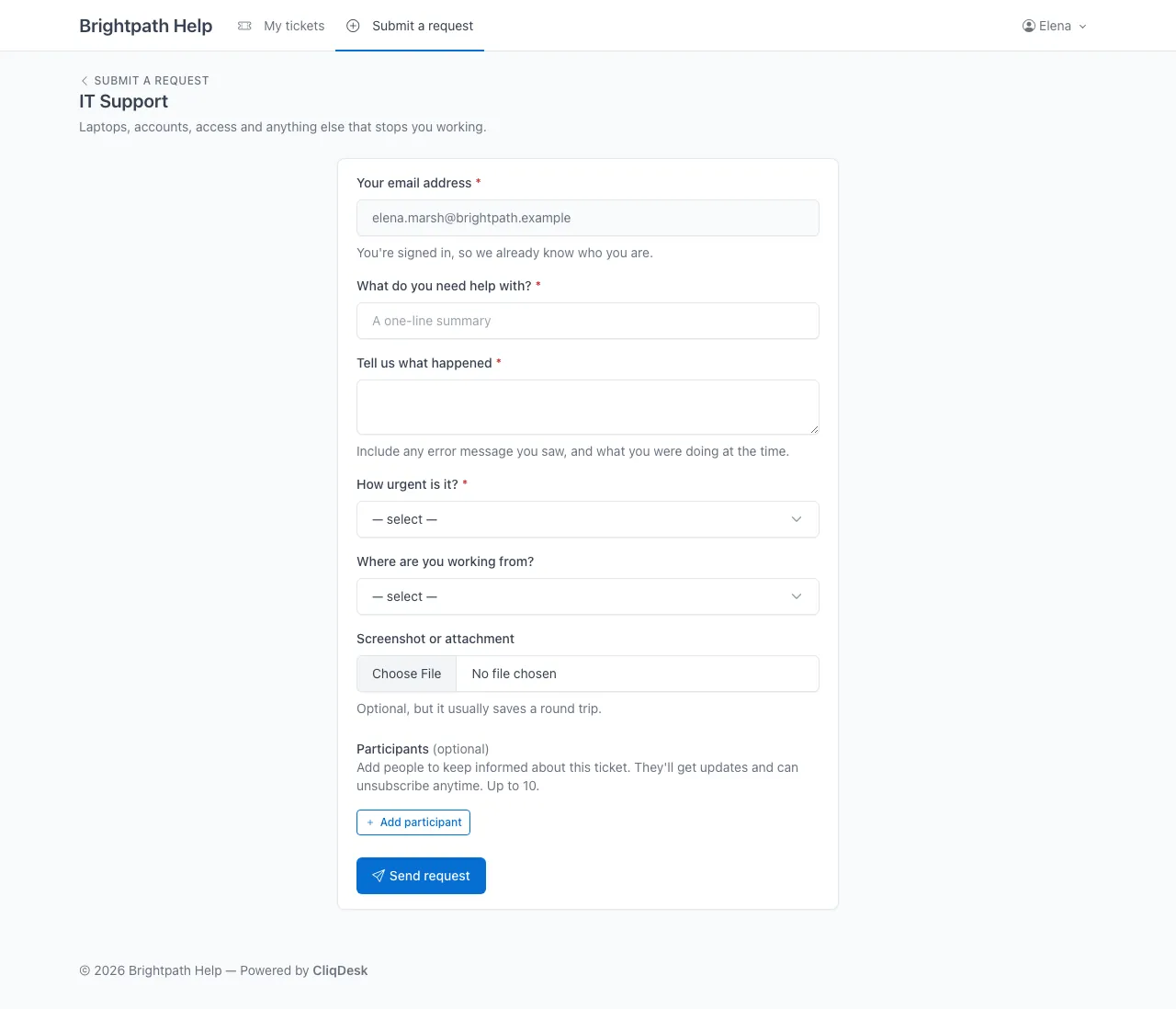
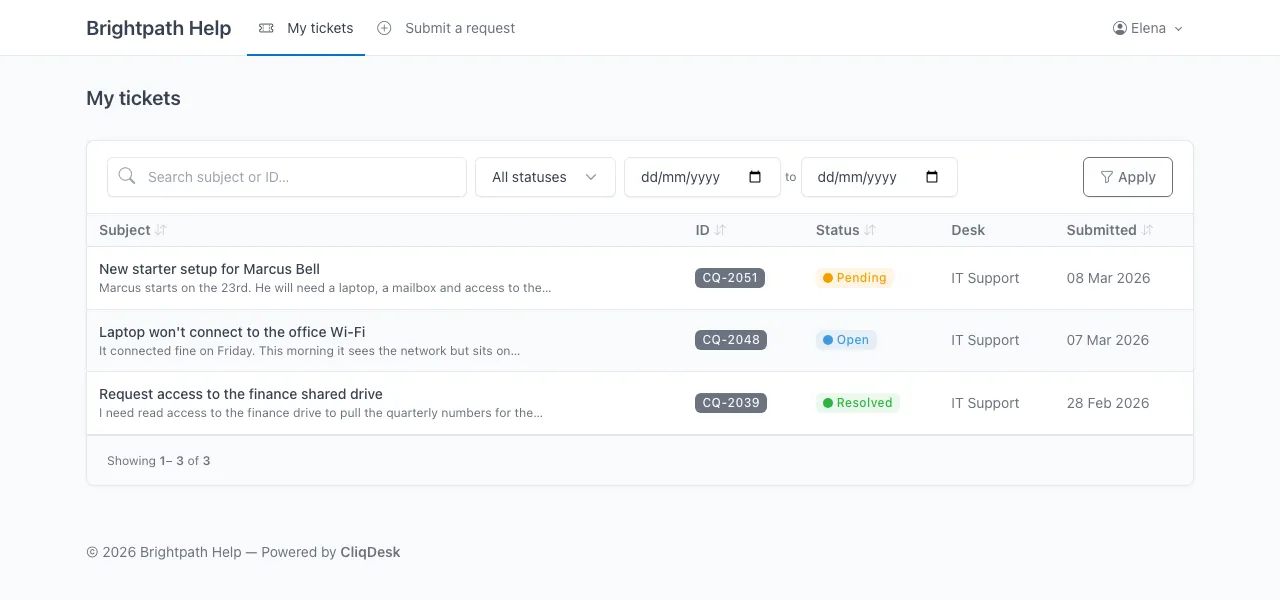
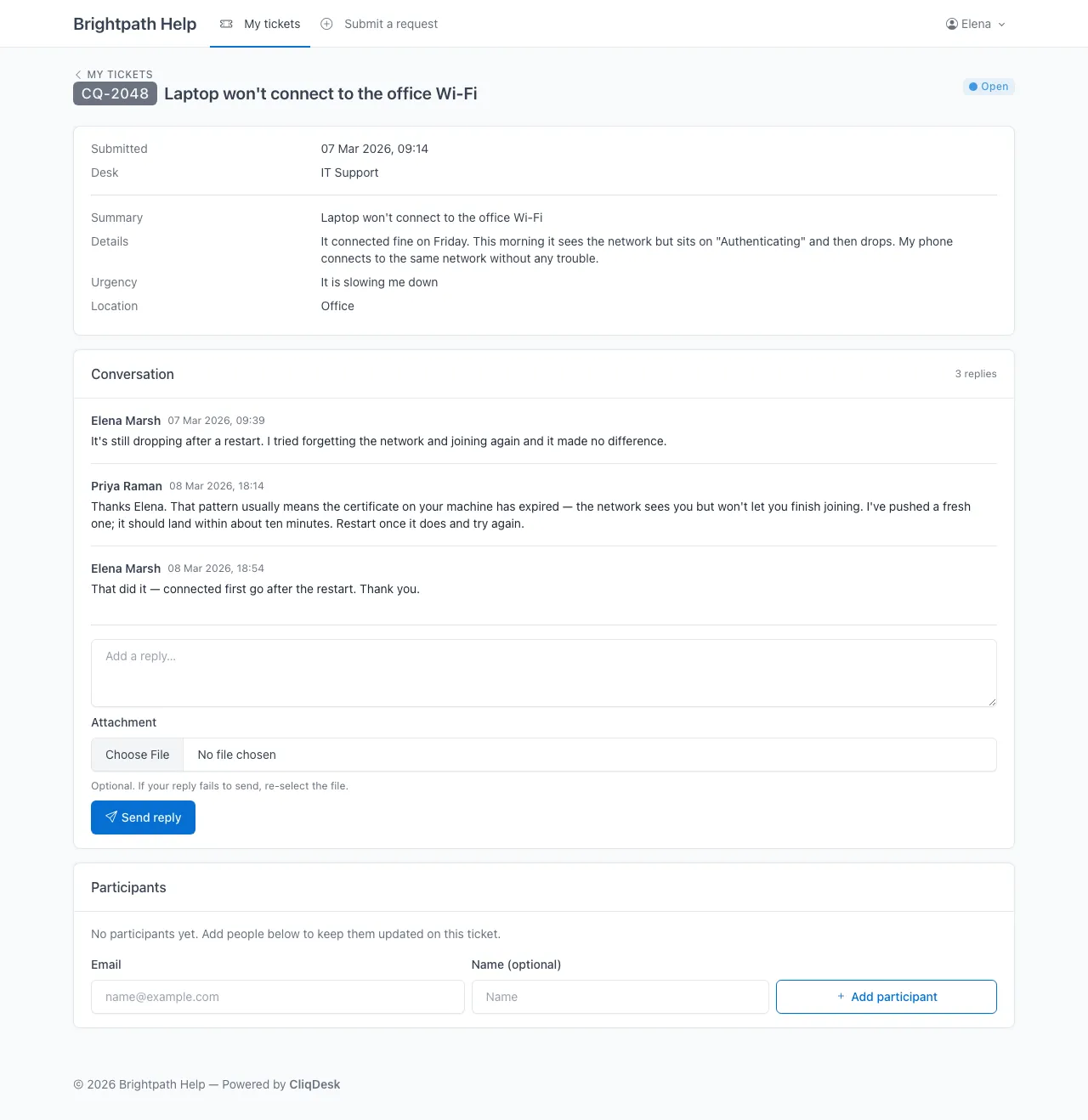
What a requestor can and cannot reach
This division is fixed by what a portal is, not by permissions configured per person.
What they see
- The requests they raised, and only those.
- The status of each one, in the words you chose for your ClickUp statuses.
- The whole conversation, including replies your team wrote as ClickUp comments.
- A box to reply in, and a button to attach a file.
- Your name, your logo and your colours, on your own address.
What they never see
- Your ClickUp workspace, or any part of its Hierarchy.
- Anyone else’s tickets, including other people at their own company.
- Internal comments your team leaves on the task for each other.
- Assignees, time estimates, or anything else your team tracks on the task.
- A ClickUp login, a ClickUp invitation, or the word ClickUp anywhere.
What each part of the portal is, in your workspace
Each item on the left is a view of the item on the right. There is no second copy being synchronised.
- A request form
- A ClickUp List you nominate. Every request raised on that form is created as a task in it, with the answers on the task.
- The status on a ticket
- The status on the task. Your team moves the task and the customer’s view has moved, because there is nothing in between to update.
- A reply from your team
- A comment on the task. Your agent writes it in ClickUp and the customer reads it in the portal, or in their email.
- A reply from the customer
- A comment back on the same task, whether they typed it in the portal or replied to the notification email.
- An attachment
- A ClickUp attachment on the task. The file goes to your workspace and CliqDesk does not keep a copy of it.
- The ticket reference in an email subject
- The Custom Task ID, where you have that ClickApp on. Without it everything still works; the subject line simply carries no reference.
So there is no separate queue for your team to keep current. They work the task in ClickUp as they already do, and that is what the customer is reading.
What happens to the tickets you already have
A portal can import the existing tasks from the ClickUp List it is pointed at, so work already in flight appears in the portal on the day you switch.
You map the email addresses on those tasks to portal accounts, since that mapping is yours to know. The import can be run again later, so it does not have to be finished in one go.
Why not just invite them as ClickUp guests?
You can, and for a handful of customers it may be enough. Two things limit how far it scales, one of them priced and one of them not.
A customer who can reply is a billed seat.
View only guests are free and unlimited on every paid plan, and cannot comment. ClickUp's own table says that giving a view only guest permissions turns them into a permission controlled guest, and that where you have no permission controlled guest seat left, that guest type "costs the same as your plan's member subscription". Commenting is the permission a customer needs to answer you.
ClickUp docs: Guest-type user rolesThe unpriced one is administration. A guest is inside your workspace, so what each customer can see depends on the permissions someone set when sharing an item with them, and those have to be maintained as people and projects change. In a portal there is nothing to set: a requestor sees the requests they raised because that is all a portal is able to show.
ClickUp's guest rules above are their published documentation, checked on 18 September 2026. They set their own prices and change them from time to time — read the source before you decide anything on the strength of ours. The longer version of this comparison is on can ClickUp be a help desk?
What it costs
$29 a month for the portal, with unlimited customers raising unlimited requests through unlimited forms.
Your ClickUp bill is unaffected: the people a portal adds are requestors, not members of your workspace, so your seat count does not move. Full detail, including annual billing, is on the pricing page.
See it with your own tickets in it.
90 days free, no card. Connect your workspace, point a form at a List, and send yourself a request.
Start free trial