Customer support, run from ClickUp.
Give your customers a branded portal to raise requests, track progress and reply. Your team works every ticket inside ClickUp.
$29/month, unlimited agents. Requires a ClickUp account. · See pricing
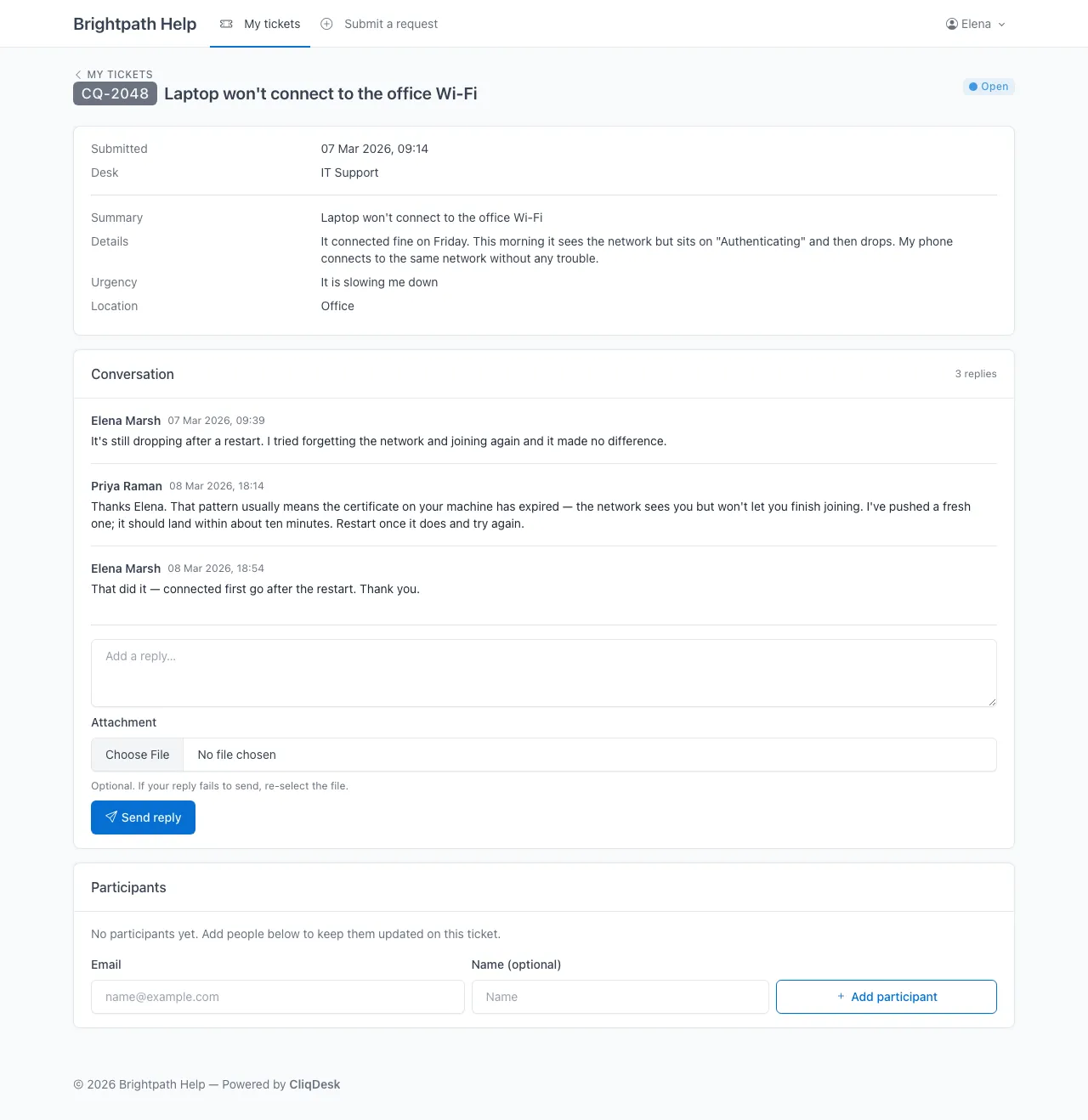
Laptop won't connect to the office Wi-Fi
In progress- Task ID
- CQ-2048
- Assignee
- PR Priya Raman
- List
- IT Support
Priya Raman
Pushed a fresh certificate — restart once it lands and try again.
Sent to the customer
Sample data. The customer view is a real CliqDesk portal; the ClickUp view is an illustration.
Built for two kinds of teams.
They come from a ClickUp workspace they want to extend, or a JSD install they've outgrown.
Already on ClickUp?
Stay there. We'll handle the rest.
Your team works tickets in ClickUp. Your customers see a branded portal. CliqDesk syncs the two without ever showing the workspace.
- ● One ClickUp API key, set up in minutes
- ● Tickets become ClickUp tasks; replies sync as comments
- ● File uploads attach directly to the task. No middle storage.
- ● Customers never see ClickUp's UI
Tired of Jira Service Desk?
Without the per-agent bill.
Jira Service Management charges $20 per agent per month once you pass 3 agents. CliqDesk is one monthly fee for the whole team, and your agents keep working in ClickUp.
- ● Request forms, ticket tracking and email replies
- ●
Branded portal at
help.yourcompany.com - ● Predictable per-portal pricing. No per-agent surprises.
- ● Two-way email threading out of the box
The portal your customers actually use.
Every request starts on a form you define, and every customer can see where theirs got to.
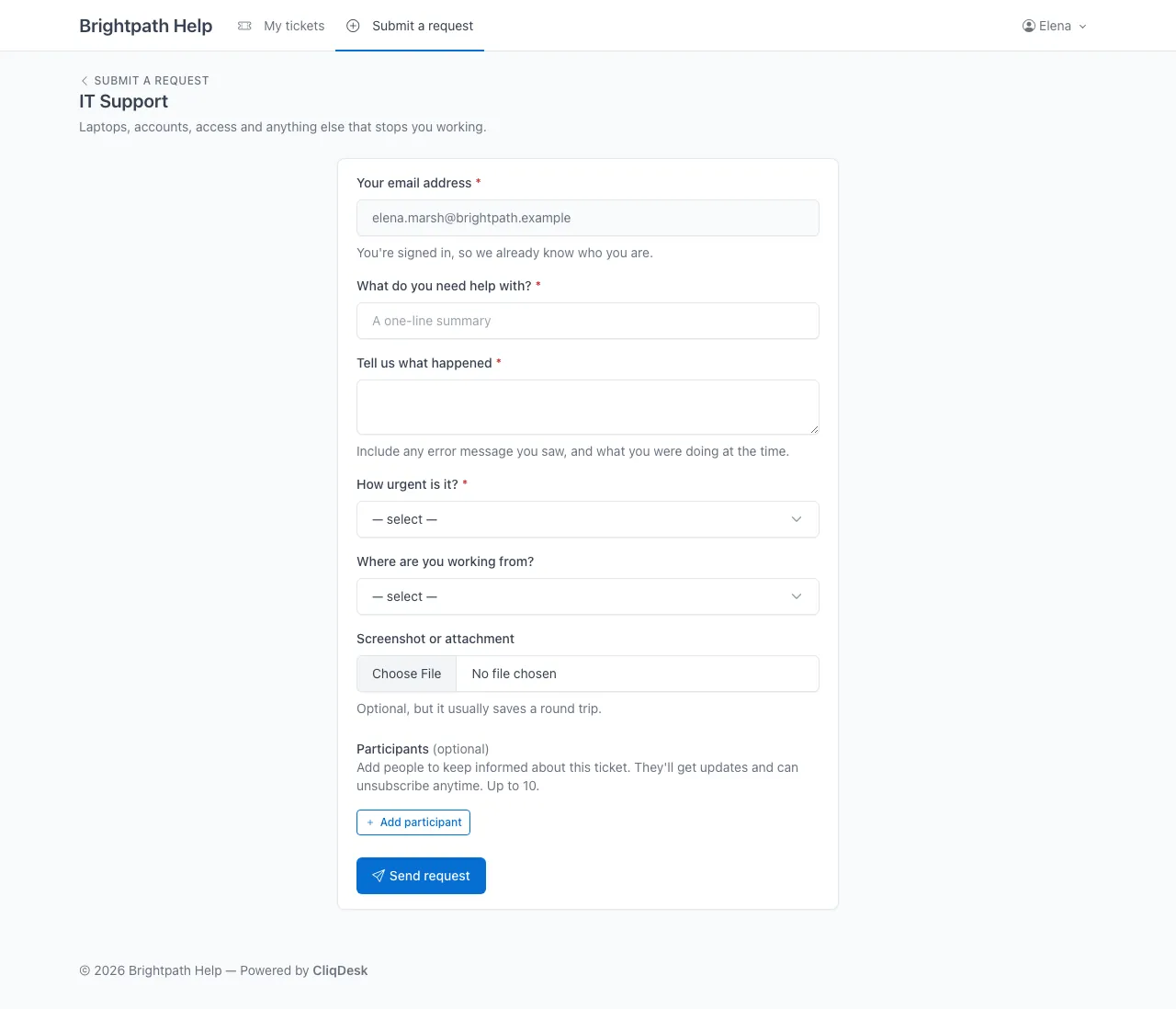
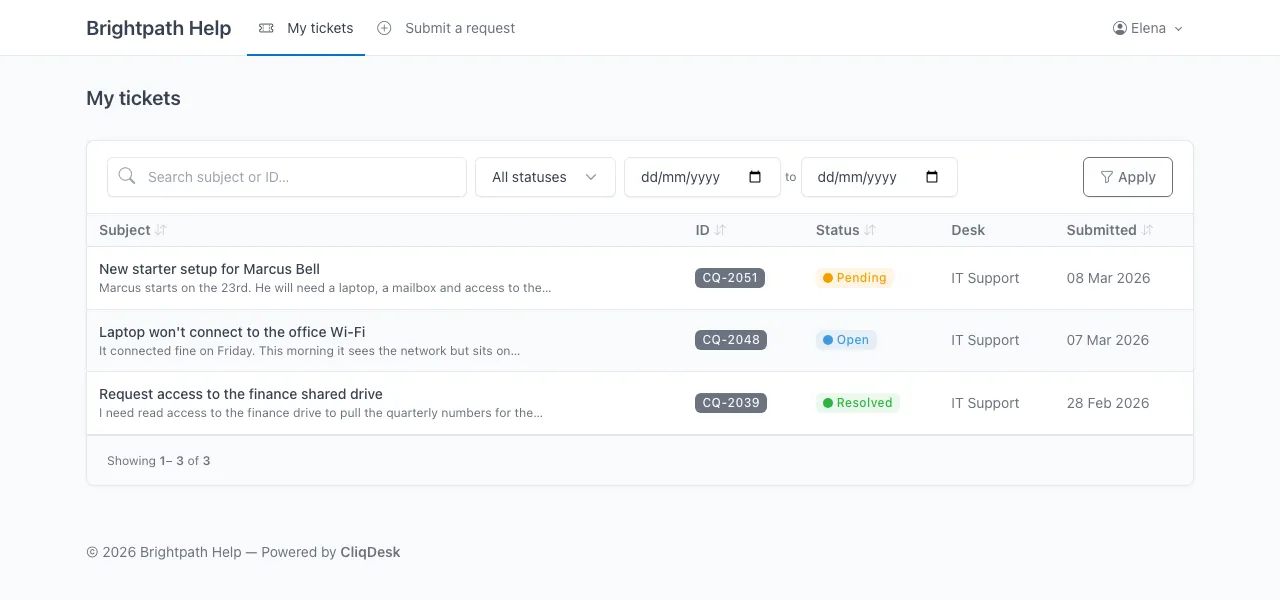
Sample data.
Up and running in an afternoon.
No professional services engagement. No 40-page setup guide. Just three steps.
- 1
Connect ClickUp
Paste a ClickUp API key, pick the list new tickets should land in, and map your custom fields.
- 2
Brand your portal
Upload your logo and pick your colours. Point a custom domain at us; SSL is automatic.
- 3
Share with customers
Send your customers the link. Or forward an existing inbox and let mail route straight in.
Everything a support portal should have.
The boring stuff, done right. So you can focus on actually helping customers.
Branded customer portal
Brand it however you want. Customers see your portal, not ClickUp's.
Custom request forms
Define the exact fields you need per request type. Validate before tickets ever reach your team.
Two-way email threading
Customers reply by email, your team replies in ClickUp. Both see the same conversation.
Auto-assign rules
Route new tickets to the right list, assignee, or priority based on form answers.
File attachments
Customers upload files; they land on the ClickUp task as native attachments. No middlemen.
Reply from ClickUp
Type a comment on the task and your customer gets it as an email. Internal notes stay internal.
Ticket participants
Loop a colleague into one ticket without giving them an account. They read and reply by email.
Bring your history with you
Import an existing ClickUp list as tickets, mapped to the right requestors. Start with a full desk, not an empty one.
Your portal, live this afternoon.
90 days free. No credit card. Connect ClickUp and send your customers the link.
Questions first? hello@cliqdesk.app
Before you connect ClickUp
- What the key can reach
- A ClickUp API key cannot be scoped, so it carries whatever the account that issued it can see. We use it to read your workspace structure, create tasks and comments, upload attachments and manage one webhook. Issue it from a service account rather than someone’s personal login.
- What sits where
- ClickUp is the system of record for tasks, comments, assignees, statuses and attachments. CliqDesk also stores the ticket subject, your desk-form answers and replies sent through the portal, so customers can still read their tickets when ClickUp is unreachable. Your API key is encrypted at rest.
- Internal notes stay internal
- Comments on a ClickUp task are hidden from the portal unless they are explicitly sent to the customer. The filter defaults to hidden, so the failure mode is a customer briefly not seeing their own message, never an internal note leaking.
- Turning it off
- Remove the connection in your portal settings and CliqDesk deletes the stored key, the workspace and space it points at, and the webhook. You can also revoke the key inside your own ClickUp account, which stops every call we make regardless of what our settings say.